
It’s hard not to have tragic copywriting as a programmer. As we stepped into this indie scene, it was (and is) all too common to ship something like this:
The action stays the same. Only the words get clearer.
Even nearly 15 years (!!!) into this business, I can still fall into this trap. Left to my own devices, I’ll happily ship some gormless button label like “Initiate Sequence”, its copy that reads like it was written for someone who should be code reviewing a recursive function. But instead, most people who use my apps are the everyman, who isn’t serially online chatting about AI agents. Writing for them doesn’t come as naturally. Other than experience and being aware of it, is there a way to audit your interface controls for terrible copywriting?
Turns out, Apple has the answer. And, if you power it up with an agent, it can audit your entire app for you. It all starts with this banger session:
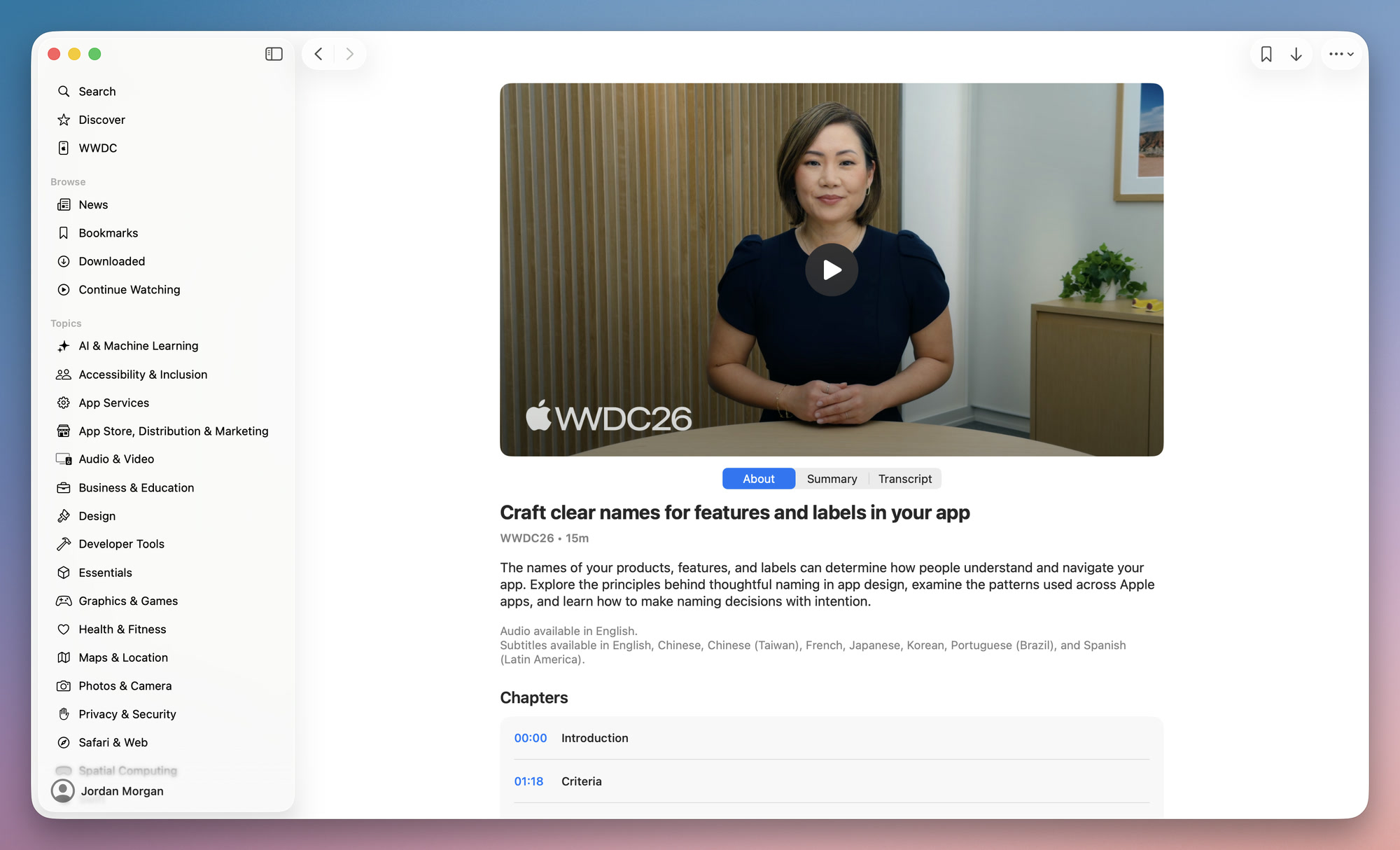
In it, Heej walks through how to craft copy that feels human. That really helps someone understand the impact of a button press, or simply set an expectation of what will happen. This kind of thing is absolutely gold. It is the number one thing I think people like me struggle with. Here’s how I hooked up an agent to learn about that session, and then apply it to one of my apps:
-
Install Sosumi MCP or install the WWDC.ai skill.
For Sosumi MCP:
claude mcp add --transport http sosumi https://sosumi.ai/mcpOr, for the WWDC.ai skill:
npx skills add https://github.com/superwall/skills --skill wwdc --global --yes --agent claude-code universal - Have an agent watch that session via whatever you installed on step 1.
- Then, point it your app and give it context on who your target market is, what your app does, and using its new copywriting knowledge - propose updates to strings throughout.
When I did this, I had fantastic results:
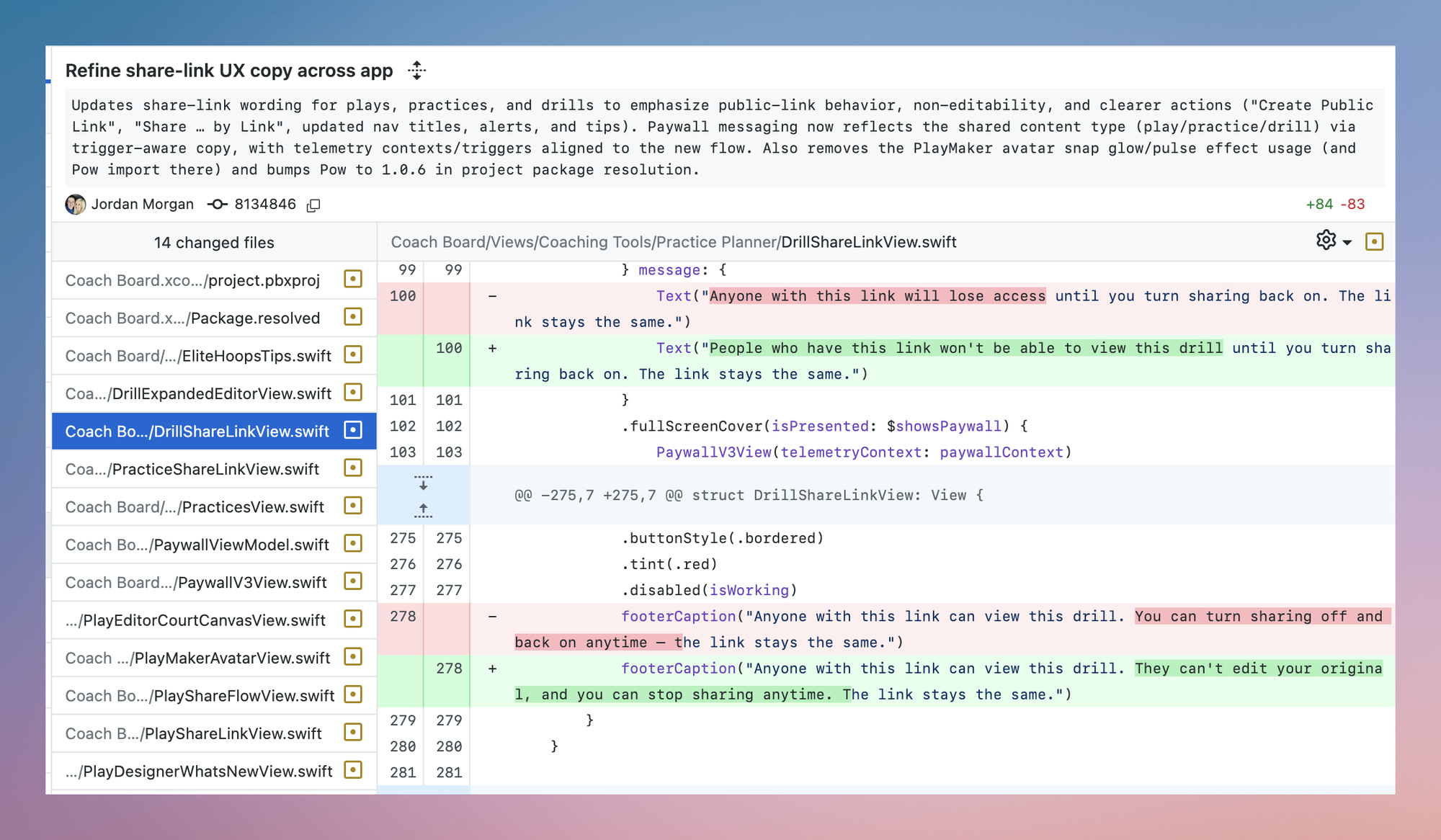
Some of them were so obvious, it hurt. But, this is just a blindspot I have. I’m not great at interface label naming, or naming in general. There’s a lot of talk about where the line should be with creativity and AI, and it’s a necessary discourse. In this case? This is one area where I’m happy to have its help.
Until next time ✌️