
I was filled with whimsy watching OpenAI announce their Codex app1 not even two days ago. But life comes at you fast. The very next day, Xcode 26.3 dropped with support for agentic coding.
As someone who is truly enjoying using agents to create software, I was ready to dive in. I’ve come to love using agents in Terminal, but I’m always up to try the shiny new thing. And if there’s something Apple does particularly well, it’s typically integrating new shiny things with a refined taste to them.
Here, I’ll share first impressions, and some important answers to questions I had. Also, I’ll be primarily chatting through the Codex lens.
The Critical Infrastructure
Ask three different people how they use agents, and somehow you’ll get sixteen different answers. Me? I rely on the “core pillars”:
- agents.md: Projects I use all have a lightweight
agents.mdorclaude.mdfile. Critical to how I work. - skills.md: The more nascent skills movement just keeps growing. Vercel, and its successful skills.sh initiative, has only strengthened it. I’ve come to use several skills, and not having those would be a quick stop for me.
- MCPs: The model context protocol is amazing to interface with services. When they were first announced, I thought of them as nothing more than an API. And, in some ways, that is true. But they aren’t APIs for you or me, they are for agents. Supabase’s MCP has saved me tons of time, “Query all of the basketball drills for this User ID”, “Do I have cascade deletes in place for X or Y”, the list goes on. They are a requirement for my agent use.
If Xcode’s integration couldn’t leverage any one of these, I would personally have no reason to use it. I nearly moved on altogether since I realized the star of the show, Apple’s own Xcode MCP implementation, is available for other agents to use:
# CC:
claude mcp add --transport stdio xcode -- xcrun mcpbridge

# Codex:
codex mcp add xcode -- xcrun mcpbridge
Still, the allure of keeping things “in house” is strong. And, Apple is only going to improve their offering. As long as my core pillars were usable, I’d try it out. At first, I thought that wasn’t the case (my skills weren’t showing, for example) but I’m happy to report that it can, and does, use your existing “core pillars” with a little pageantry from your end.
New Codex
Here’s what made it all click for me. If you already have Codex installed, think of Xcode’s Codex usage as an entirely fresh install. That makes complete sense when you zoom out and think about it (this Codex is literally for Apple development and nothing else). You can confirm this for yourself by viewing the config.toml for each installation:


Apple has honed in their config.toml to supercharge iOS development. Notes on Liquid Glass, call outs for Foundation Models — the list goes on. Though Apple blasts the doors off of their “big” stuff at W.W.D.C., you’d be crazy to think they aren’t paying attention. How we develop software is changing, and internally, it’s clear they are humming along with it. The fact that Xcode 26.3 exists, right now, is proof. They didn’t just cut a new branch once Codex’s macOS app shipped.
A few thoughts on the core pillars:
Skill files
In Apple’s documentation, they hint that each agentic option is customizable. But to what end, it’s not entirely clear:
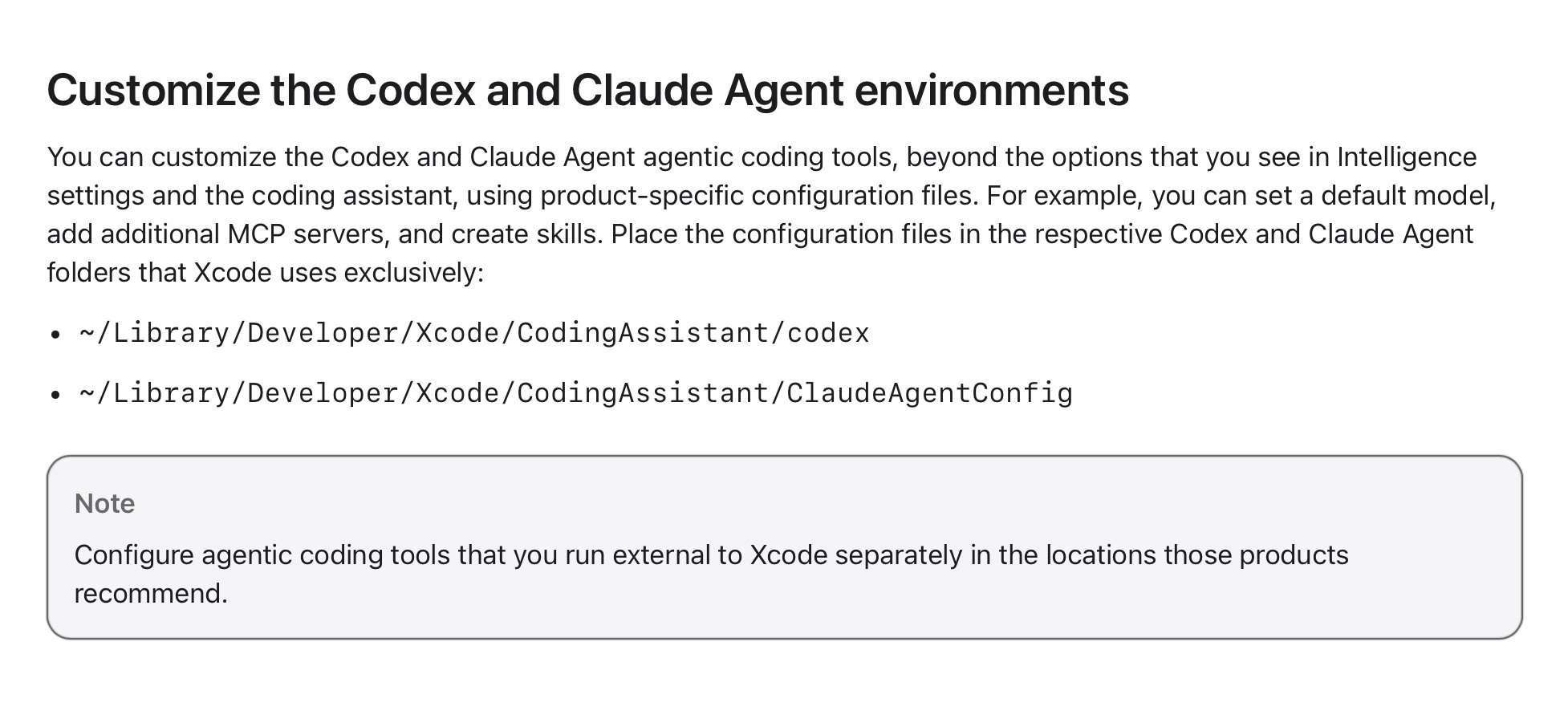
However, opening that up reveals a lot:
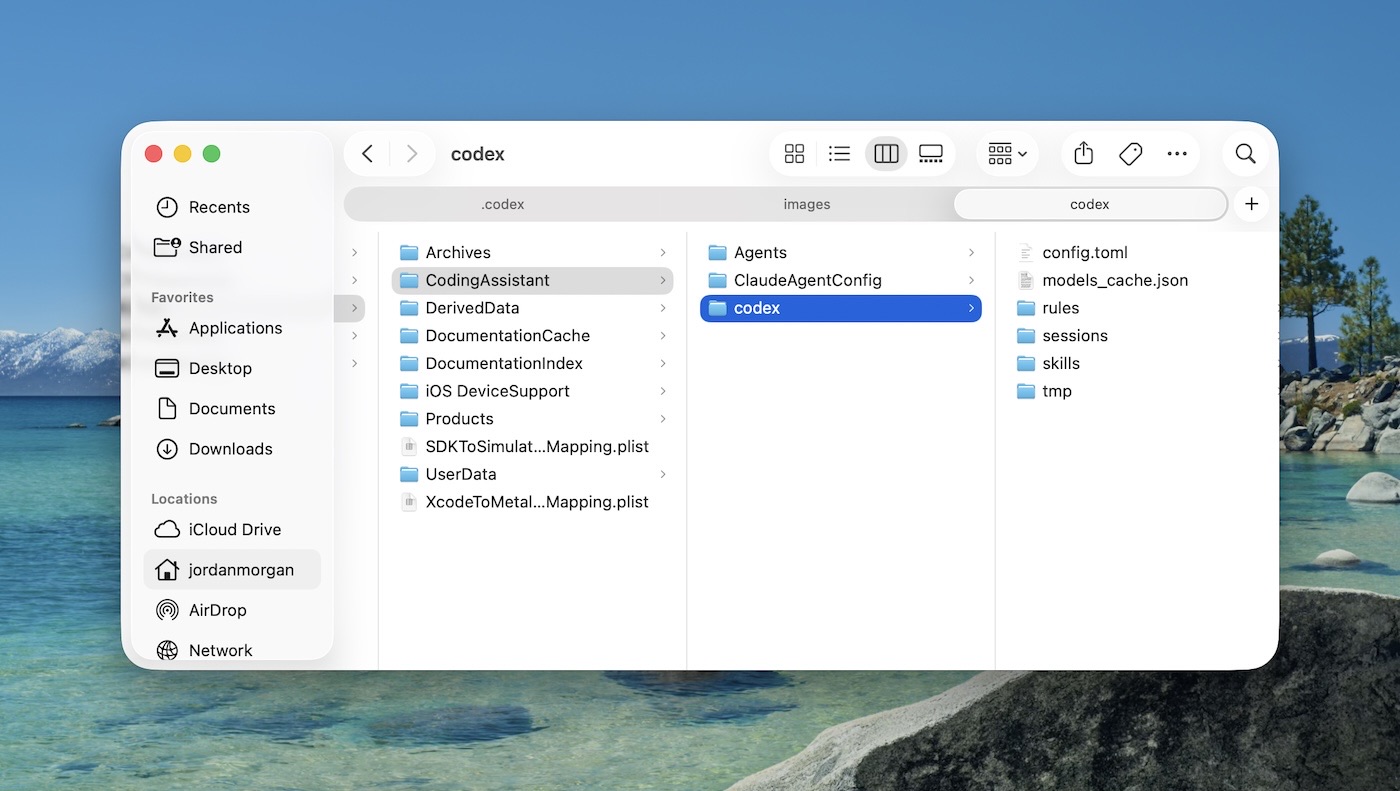
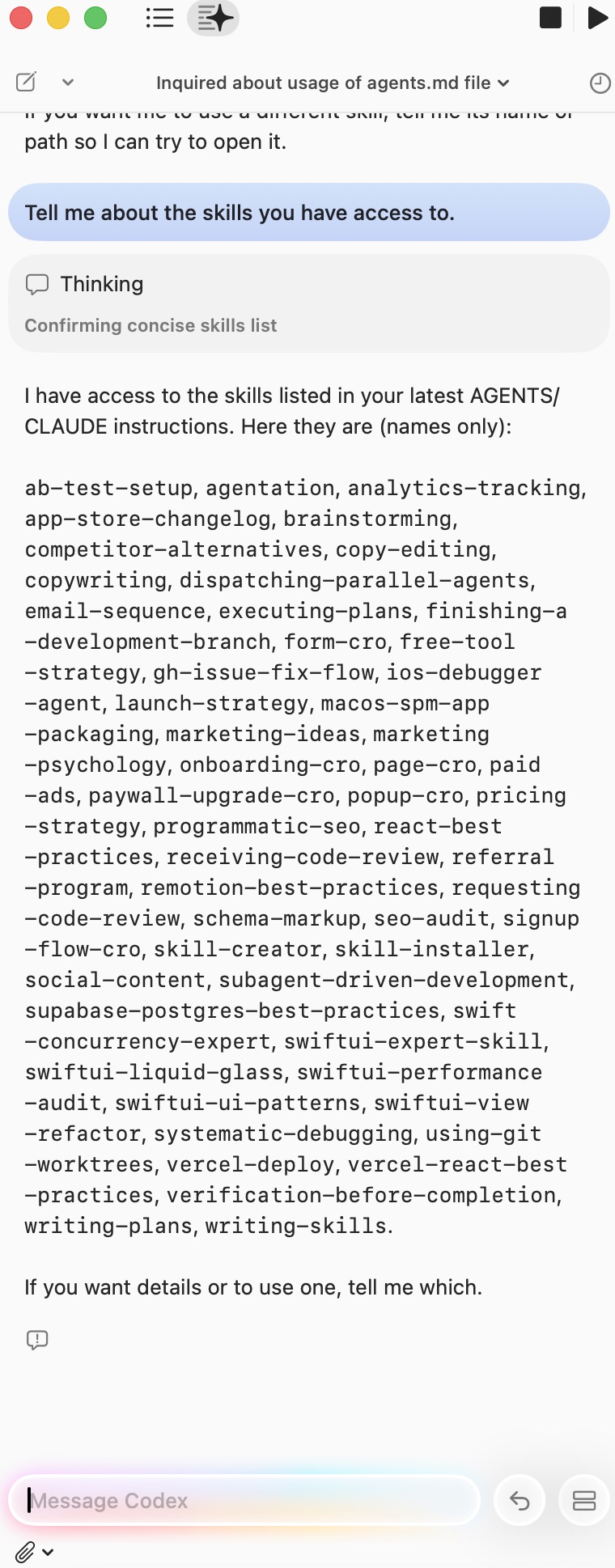
A skills folder! I simply copied what I had in my existing ~/.codex/skills over there, and I could confirm that Xcode’s Codex could now see them:
MCPs
Since we know where the config.toml is at, moving over MCPs should not be a problem, either. Just add them in Apple’s config.toml and you’ll be good to go. What I’m not entirely sure about is how to kick off authentication for some MCPs that may require it. For example, to get Supabase working in Codex, I’d run codex mcp login supabase — but it needs to be ran out of session. But, there is no “out of session” in this case. It may just work, but I’ve not tried it yet.
agents.md
There’s nothing to say here, it just works.
Odds and ends
So, how is the actual experience? Well, pretty nice! This is such a tiny thing, but in Terminal — removing a chunk of text sucks. I’m sure there is some keyboard shortcut I’m missing, or some other app I could use like iTerm or what have you, but not being able to use Command+A and then delete a text selection hurts. In Xcode, that’s easily done because the input is no longer running through Terminal, it’s just an AppKit text entry control.
Oh, and it’s pretty! Apple has leaned into a bit of a bolder text for prompt creation, and the colorful “ribbon”, synonymous with Apple Intelligence, is always a joy to look at. It’s also so beautifully native. Codex’s app, while packed full of goodies, just feels…a little ugh, ya know? This surprised me, since their flagship ChatGPT is native and feels incredible to use (complete with Liquid Glass on Tahoe).
But there are no free lunches in life. Another Codex installation, another agent to use, another spot you have to maintain skills and MCPs. Surely, the developers behind these agentic tool chains will adopt an open standard so we don’t have to worry about this. In fact, this has already been proposed by OpenAI developers for skills at least (I lost the tweet, but it’s out there).
We don’t know which model will “win”, or if one ever will. Personally, I find the competition necessary and good for their target market, developers. I personally hope none of them win and keep pushing each other to be better. But, open standards to control all of the core pillars would be welcome. When I update one skill, I now update it in three different places.
Wrapping up
This is a fantastic start for Xcode. If you’re late to the Claude Code or Codex scene, this is a wonderful place to start. There’s simply no going back once you learn how to use these tools. Ideas that you wanted to hack on become doable, those dusty side project folders come alive a bit more, and you get ideas out of your head much faster. These are all good things.
Plus, it makes you wonder what Apple will have for us at this year’s W.W.D.C. — this release is the kind of thing you typically see there. Maybe they felt they had to respond earlier? Maybe it was just ready to go? Maybe they have #EvenMoreCoolThings coming? I dunno, but I’m eager to see.
It’s all moving quickly. All the way back in 2020, Mattt sort of saw some of this coming. It’s fun to read that post back, and see how so much of it is happening today. What a time to build!
Until next time ✌️
-
Kind of odd that it’s Electron though, yeah? The ChatGPT flagship app is native, and it feels fantastic in comparison. ↩